AI Suggestions
One call, the right edit
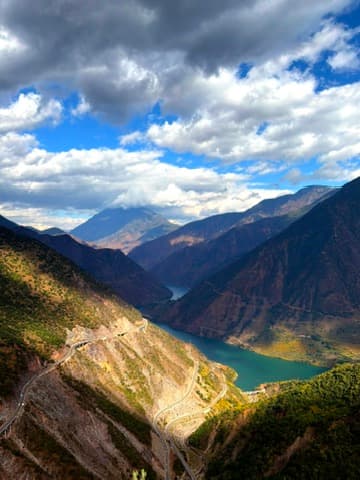
PhotoEditKit looks at a photo — exposure, colour cast, faces, subject, grain and scene — and suggests the edits it needs. Drag the slider to compare.
Ranked Suggestions
Up to ten ranked looks per photo, each with a title and thumbnail — or a single best edit. A photo that is already good gets nothing rather than a style it did not ask for.
Natural Faces
Every look keeps skin hue and saturation natural, and gently sharpens a soft face.
RAW Aware
Matches the camera's own rendering of a RAW and builds every other look on top of it.




Recipes
Corrections and styles
Every suggestion comes from a fixed set of recipes, sized to each photo. When a photo needs fixing, corrections come first.
Corrections
Fix exposure, colour casts and noise.OriginalClean UpBalance LightBrightenDeepenRecover HighlightsLift ShadowsWarm UpCool DownTrue Color
Styles
A matter of taste, tuned to what the photo is about.CrispPunchPopVividMutedMatteSoftSpotlight



Quick Start
Drop it into any iOS app
Install with Swift Package Manager and get a suggestion in a few lines. Apply it with Core Image, or show the ranked list as a picker.
Swift Package Manager
Add https://github.com/8kdesign/PhotoEditKit in Xcode, or embed the binary XCFramework manually. Safe to use in app extensions.
import PhotoEditKit

// Off the main thread: this measures the photo.
if let config = AIPostProcessingHelper.topSuggestion(
    for: thumbnail, metadata: properties
) {
    let edited = original.applyingEditConfig(config)
} else {
    // The photo is already good. Keep it as it is.
}

// Or offer up to ten ranked looks in a picker.
let suggestions = AIPostProcessingHelper.suggestions(for: photo)
for suggestion in suggestions {
    suggestion.title      // "Brighten", "Vivid", …
    suggestion.thumbnail  // ready-made preview
    suggestion.config     // the edit to apply
}
Editor
A full editor model
Build your own editing screen on top of EditController. It handles everything except the UI.
EditController
Loading, live previews, undo/redo, crop, rotation, portrait blur and full-resolution export — ready for SwiftUI or UIKit.
HDR Kept
Exports keep the iPhone's HDR gain map.
Style Matching
Match one photo's tones to a reference photo, or the average of several.
let editor = EditController()
editor.processAI()
Task { await editor.prepare(source: source) }

// Live preview while a slider moves, then commit.
editor.previewConfig(EditSettingType.exposure
    .getSetting().getEditConfig(0.2))
editor.confirmPreviewConfig()
editor.undoConfig()

// Full resolution, HDR gain map included.
let rendered = await editor.renderForExport(
    config: editor.currentConfig,
    editRotation: editor.editRotation
)