
Quick Stickers
Collect, edit, and share stickers — right from your menu bar.
Coming soon
Collection
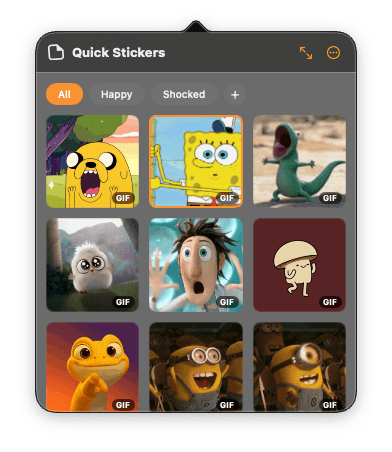
Your stickers, organized
A floating panel keeps every sticker a single click away.
Drag & drop to import
Drop images straight into the panel to add them to your collection.
Create groups
Sort stickers into your own groups so the right one is always within reach.
Click to copy, drag to use
Click a sticker to copy it to your clipboard, or drag it straight into any app.
Editing
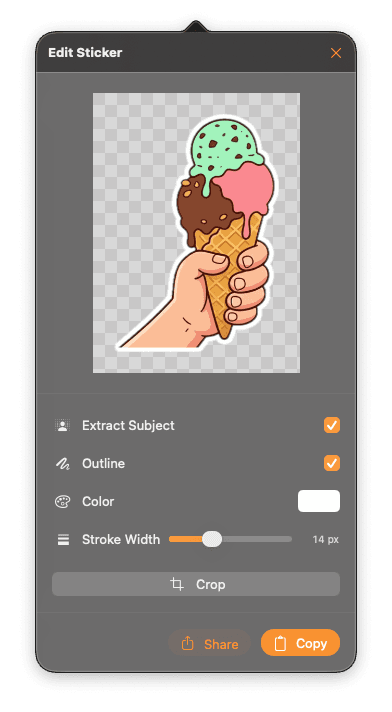
Polish every sticker
Turn any image into a clean, ready-to-share sticker.
Identify & extract the subject
Automatically lift the subject from its background with a single tap.
Add an outline
Make stickers pop with a customizable outline — choose the color and width.
Crop the image
Trim each sticker down to exactly what you want to keep.
Shortcut
Always a keystroke away
Summon the sticker panel from any app — no clicking around.
⌥⌘S